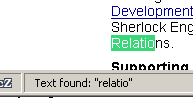
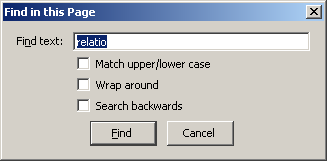
 "Find in Page" (CTRL-F) opens a search dialog for web page searches.
Karsten Düsterloh <mnyromyr@tprac.de>
2004-08-17: First draft
Currently, search in Mozilla is scattered all over the place:
"Find in Page" (CTRL-F) opens a search dialog for web page searches.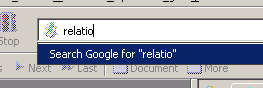 "Keyword Search", if activated, lets you type in non-URL data into the URL bar that will
be sought via the default search engine. Alternatively, you can specify special "keyword
bookmarks" that get fed with this data.
"Keyword Search", if activated, lets you type in non-URL data into the URL bar that will
be sought via the default search engine. Alternatively, you can specify special "keyword
bookmarks" that get fed with this data.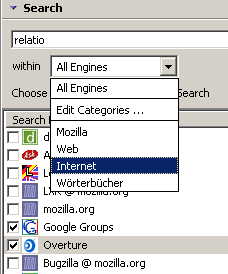 "Advanced Sidebar Search" provides a sidebar panel for searching multiple search engines
at once. They even can be grouped in categories. Search results are displayed both in a
detailed XUL page and a short list of titles in the sidebar panel itself. Search engines
are provided by so-called search plugins based upon
Apple's Sherlock 2 spec.
(See http://mycroft.mozdev.org/ for the breadth
of search engine selection.)
"Advanced Sidebar Search" provides a sidebar panel for searching multiple search engines
at once. They even can be grouped in categories. Search results are displayed both in a
detailed XUL page and a short list of titles in the sidebar panel itself. Search engines
are provided by so-called search plugins based upon
Apple's Sherlock 2 spec.
(See http://mycroft.mozdev.org/ for the breadth
of search engine selection.)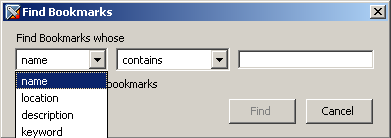 The "Bookmark Search" has its own dialog. It is available
from the bookmark sidebar panel and from the bookmark manager.
The "Bookmark Search" has its own dialog. It is available
from the bookmark sidebar panel and from the bookmark manager.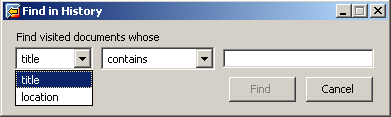 The "History Search" dialog is very similar to the bookmark
search, but it is only available from the history window (CTRL-H).
The "History Search" dialog is very similar to the bookmark
search, but it is only available from the history window (CTRL-H).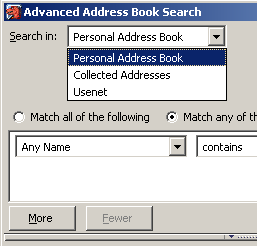 The "Advanced Address Book Search" dialog is quite
sophisticated. It allows for a limited amount of logical expressions and multiple search
criteria.
The "Advanced Address Book Search" dialog is quite
sophisticated. It allows for a limited amount of logical expressions and multiple search
criteria.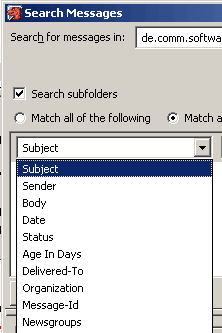 The "Search Messages" dialog does resemble the advanced
address book search in its capabilities, but the amount of available search criteria
is much higher.
The "Search Messages" dialog does resemble the advanced
address book search in its capabilities, but the amount of available search criteria
is much higher.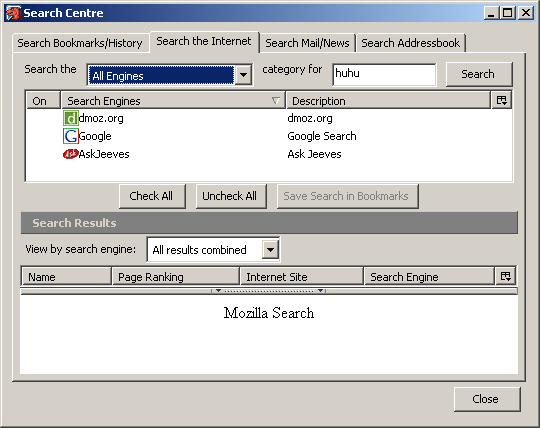 Older versions of Mozilla provided a special integrated search
dialog (let's call it "Power Search" in lack of a real name) that was availble via
the Search button in the URL bar, if you set the hidden pref browser.search.powermode
to 1. But this dialog is completely broken now - whether it ever was functional
is still doubtful...
(Also see bug 250637).
Older versions of Mozilla provided a special integrated search
dialog (let's call it "Power Search" in lack of a real name) that was availble via
the Search button in the URL bar, if you set the hidden pref browser.search.powermode
to 1. But this dialog is completely broken now - whether it ever was functional
is still doubtful...
(Also see bug 250637).Several widgets (like the bookmarks sidebar panel or the mail thread pane) provide a "Quick Search Bar" that prefilters their current view upon their data. That feature is beyond the scope of this document.
The discussion in and about bug 250637 revealed a common rejection of the current design of this dialog. A mere collection of several search dialogs in yet another dialog most users won't ever see anyway isn't very useful.
But how could this dialog be useful again?
And how could we achieve this?
This new dialog would/could pretty much look like the "Internet Search" tab from the broken old "Power Search", i.e. an "Advanced Sidebar Search"-like selection of search sources, an "Advanced Address Book Search"-like search term definition and a "Advanced Sidebar Search"-like results display.
Example:
"Hey, I do remember having read about that guy. But where? Did I get a mail mentioning him?
Maybe it was a bugmail? Or was it a newsgroup posting? Could be even that I did visit his
homepage? Ah, well, I'll just mark all these sources and let the lizard do the searching!"